Quick answer: Your website may not be showing on Google because it has no page that matches what your customers actually search for, its structure and content are unclear, or it has technical, indexing, competition or visibility gaps. To fix it, find out what your customers search for, add a dedicated page for each important service, improve your titles, headings and content, make the site fast and mobile-friendly, and keep monitoring it in Google Search Console. The step-by-step fix is below.
Key Takeaways
- A website is not the same as Google visibility.
- Every important product or service should have a page that matches what customers search for.
- Search Google the way your customer does, not by your business name.
- SEO, Google Business Profile and Google Ads are three different ways to get visible.
- A website is not finished when it goes live. Keep improving and monitoring it.
You spent money creating a website for your business. It looks professional. Your logo, your services, your phone number and your WhatsApp button are all there.
But when you search Google for your product or service, your website is nowhere to be seen. A website not showing on Google can be very frustrating. You may start wondering:
- Does Google know that my website exists?
- Do I need SEO or Google Ads?
- Should I create a Google Business Profile?
- Do I need to redesign the entire website?
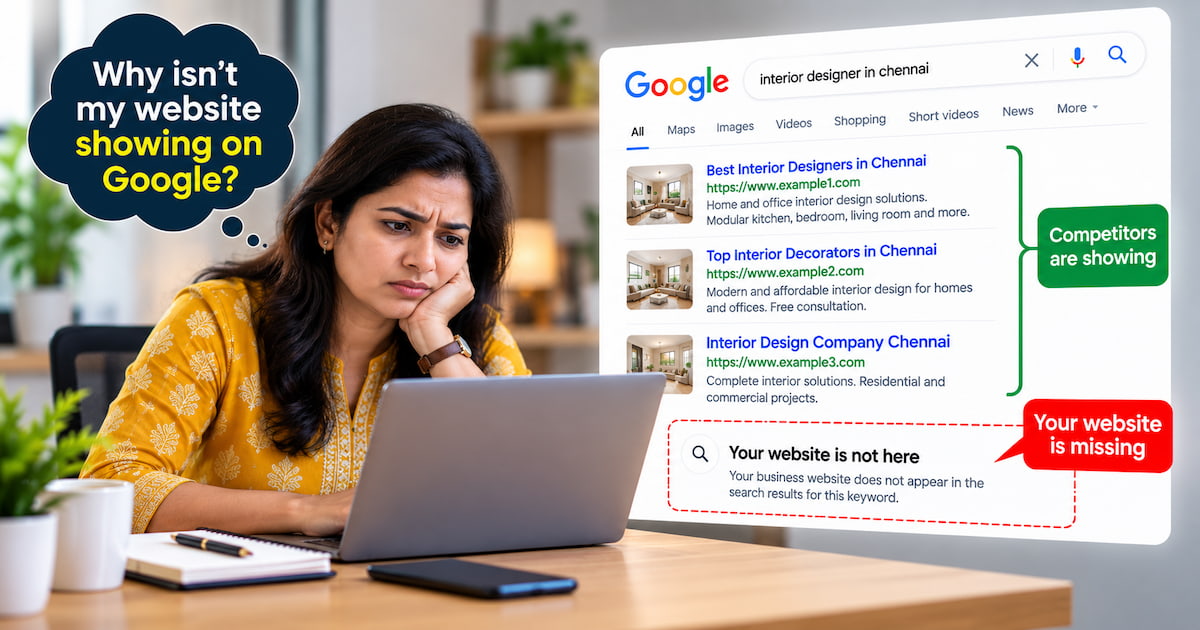
The important thing to understand is this: having a website and getting visibility on Google are two different things. Before thinking about SEO, Google Ads or other marketing, there is something more fundamental to get right: your website itself.
Why Is Your Website Not Showing on Google? The Common Reasons
There isn't always a single reason. Your website may not be visible because of:
- Weak website structure
- Content that doesn't match search intent
- Thin page content or poor on-page SEO
- Technical SEO issues
- Strong competition
- Poor mobile experience or slow pages
- No relevant service or product pages
- No ongoing content and optimisation
- Pages not indexed by Google, or low authority and other search-related signals
And sometimes the reason is much simpler: you are searching for something different from what your customer searches for. You search your company name, see your website and conclude, "My website is on Google." But your customer searches a completely different phrase.
So the better question is: "Can my potential customer find the relevant page when they search for the product or service I offer?"
How to Fix a Website That Is Not Showing on Google (Step by Step)
Follow these steps in order:
- Search like your customer. Search for your product or service the way a customer would, and note who appears above you and what pages they have.
- Check that Google knows your website. Set up Google Search Console and check whether your important pages are indexed.
- Give each important service its own page. Match each page to what customers search for, instead of putting everything on the homepage.
- Fix the on-page basics. Make sure each page has a clear title, URL, meta description, H1 and headings, useful content and internal links.
- Make it mobile-friendly and fast. Test it on a phone and check performance with PageSpeed Insights.
- Make the next step obvious. Add clear CTAs such as WhatsApp, call or enquiry, plus testimonials and an FAQ to build trust.
- Add local and paid visibility if needed. A local business can set up a Google Business Profile, and Google Ads can bring paid visibility while SEO grows.
- Keep improving. Monitor Search Console and Analytics, add useful content and keep updating your pages. SEO is an ongoing process, not a one-time job.

The sections below explain each of these steps in detail.
What Should a Business Website Include?
A business website is not just a collection of pages put together by a web designer. Every page should have a purpose. Ask yourself: does my website clearly explain my business, help customers find the information they need, and make it easy for them to take the next step?
For most businesses, a basic website should include these pages.
1. Homepage: What Do You Do?
Your homepage should quickly answer:
- What does your business do?
- Who do you serve?
- What products or services do you offer?
- Why should someone choose you?
- What should the visitor do next?
Instead of simply saying "Welcome to ABC Interiors", say something more useful: "Complete Interior Design Solutions for Homes and Offices in Chennai." Then support it with a short explanation and a clear call to action (CTA) such as Get a Quote, WhatsApp Us or Book a Consultation.
A strong homepage generally follows this order: Headline → Supporting message → Proof → Key services or products → Benefits → CTA.
Think of your homepage as the entrance to your shop. You wouldn't hide all your products in a back room and expect visitors to figure everything out.
2. About Us: Why Should I Trust You?
The About page is not just company history. It should answer, "Why should I trust this business?" Depending on your business, include experience, founder information, team, qualifications, years in business, number of customers served, areas served and your approach. For a coach, consultant, doctor or other professional, this page matters even more, because trust influences the decision to contact you.
3. Services or Products: What Exactly Do You Offer?
This is one of the most important sections of a business website. An interior designer might have pages for Home Interior Design, Office Interior Design, Modular Kitchen and Bedroom Interiors. A training business might have Digital Marketing Coaching, Social Media Marketing, SEO and Google Ads, and Website Training.
Don't assume that putting every service into one long paragraph is enough. If a service is important and there is enough useful information, give it a dedicated page. It makes the website clearer for both customers and search engines.
4. Testimonials and Reviews: What Do Others Say About You?
Customers want proof before they decide. Testimonials, reviews, case studies and project photos answer the question, "Has someone else trusted this business before me?" This is especially valuable for consultants, interior designers, makeup artists, coaches, clinics and service providers.
5. Contact Us: How Can I Reach You?
Don't make people search for your contact details. Make it easy to call, WhatsApp, send an enquiry, find your location or book an appointment. The right CTA depends on your business: a restaurant may need Book a Table, a clinic Book an Appointment, a consultant Schedule a Call, a local service business WhatsApp Us, and an online shop Buy Now.
Don't just tell people what you do. Tell them what they can do next.
6. FAQ: Answer Questions Before They Ask
An FAQ section helps when customers repeatedly ask the same questions: How much does it cost? How long does it take? Which areas do you serve? Do you offer online consultation? A good website reduces uncertainty.
7. Privacy Policy and Disclaimer (When Applicable)
Depending on your business and how you collect data, pages such as a Privacy Policy or Disclaimer may be appropriate. They aren't marketing pages, but they are part of a professional website.
How Do You Check If Customers Can Find You on Google?
This is one of the simplest exercises I teach business owners: search Google like your customer.
Don't search using your business name. Search the way your customer would. A bridal makeup artist in Chennai should try "bridal makeup artist in Chennai". An interior designer should try "home interior designer in Chennai". A training business should try "digital marketing coaching in Chennai".
Then look at the results and ask:
- Is my website appearing? Which page, and where?
- Who is appearing above me?
- Do they have separate service pages?
- What do their titles say, and how is their website structured?
Your customer doesn't search for "ABC Interiors' website". They search for what they need.
Does Your Website Have the Right Page for What People Search?
One of my students in Australia had a solar power business and wanted to learn Google Ads. His website was essentially a single page. He told me, "Sir, all the content is already there."
The problem was not whether the information existed. The real question was how that information was organised around what customers search for. If someone searches for a specific solar product or service, a page that explains that particular offering serves them better than a long homepage.
This matters for Google Ads too. Sending someone who searched for a specific service to a relevant service page gives a clearer experience than sending everyone to a generic homepage.
My student studied other solar businesses in Australia and found that many had separate service, product or category pages. He understood the difference and changed his website structure.
A good website is not simply a collection of information. It is information organised around what customers are looking for and what the business wants them to do.
How Do You Plan a Website Around Your Customer?
Different businesses need different websites:
- Wedding photographer: strong visuals of the work
- Cafe: food photos, menu, location and easy booking
- Clinic: doctor information, specialities, treatments, location, appointment options and reviews
- Interior designer: services, projects, design styles, process and testimonials
- Training business: what is taught, who it is for, trainer experience, curriculum, testimonials, FAQs and enrolment options
So don't start with "What design should I choose?" Start with "What does my customer need to know before they contact or buy from me?"
The 6-Step Website Planning Framework: Purpose → Customer → Search → Content → Structure → CTA

- Purpose: What should the website achieve: enquiries, WhatsApp messages, calls, bookings or purchases? Without a purpose, a website becomes an expensive online brochure.
- Customer: Who is it for? What are their needs, questions and concerns?
- Search: What would they type into Google? Use their language, not your internal business terms.
- Content: What information do they need before taking action?
- Structure: Where should that information appear: homepage, service page, product page, FAQ or About page?
- CTA: What should the visitor do next: call, WhatsApp, book, enquire or buy?
This simple framework prevents many website problems before they happen.
What Is SEO and How Does It Help?
SEO (Search Engine Optimization) means improving your website and content so search engines can better understand your pages and potentially show them for relevant searches. It is not about repeating a keyword many times. For a beginner-friendly guide, read What Is SEO? A Simple Guide for Business Owners.
Look at every page from both sides: Can Google understand what this page is about? And: Can a customer easily understand and navigate it?
When reviewing a page, check:
- Page title, URL and meta description
- H1, H2 and H3 headings
- Main content and search intent
- Internal links
- Mobile experience and page speed
- Technical issues
Suppose you want a page to be relevant for "Digital Marketing Coaching in Chennai", but that topic is barely mentioned in the title, headings and content. The answer is not to repeat the keyword 50 times. Build a useful page around the actual topic and the information the customer needs. Write for the customer, while making the topic clear to search engines.
Google Ads vs Google Business Profile vs SEO: What Is the Difference?
When a business owner says, "I want my business to come on Google", they may mean one of three different things.
| Option | What it is | Best for |
|---|---|---|
| Google Ads | Paid visibility. Eligible ads can appear prominently in search results when you target relevant searches and meet Google's requirements. | Reaching potential customers quickly through paid search |
| Google Business Profile | Free local visibility. Eligible businesses can appear in Google's local results and Maps. | Local businesses such as restaurants, clinics, salons, interior designers and training businesses |
| SEO | Organic visibility. You improve your website and content so your pages can surface for relevant searches. | Long-term, ongoing visibility |
A few important points:
- Running an ad does not automatically bring enquiries. Targeting, offer, ad, landing page, budget and the whole customer journey all matter.
- A website and a Google Business Profile are not the same thing. A local business may have a Business Profile even without a website, depending on eligibility.
- SEO is not an instant switch. There is competition, and Google considers many factors. Even after reaching the first page, other businesses keep improving, so SEO is an ongoing process, not a one-time activity.
Is a Website Finished When It Goes Live?
No. This is a common mistake. The website is launched, the developer sends the link, the owner is happy, and then nothing happens. No monitoring, no content updates, no SEO work, no technical checks. Months later the owner asks, "Sir, why isn't my website coming?"
Launching a website is not the end of your online marketing. It is the beginning. After launch, set up and monitor:
- Google Search Console
- Google Analytics
- Page speed and performance checks
- SEO checks and search visibility
- Website content and important service or product pages
- Mobile experience and customer navigation
- Enquiry and CTA performance
Your website should evolve as your business evolves.
How Do You Check Whether a Website Is Actually Working?
When I review a website, I don't look only at whether it looks attractive. I ask seven questions:
- Can I understand the business quickly? Do I know what they do, who they serve and what they offer?
- Can I find the important services or products? Are they clearly visible and easy to reach?
- Does a page match what customers search for? If the business wants visibility for a service, is there a useful page for it?
- Is each page properly structured? Title, URL, meta description, H1, H2/H3, content and internal links.
- Is it mobile-friendly? Most people discover businesses on their phone.
- Is it reasonably fast? Tools such as PageSpeed Insights can show performance issues.
- Can the customer take action easily? WhatsApp, call, enquiry, booking or purchase should not be hard to find.
How Do You Brief a Website Developer?
Don't build a website only because "everyone says I need one", and don't choose a developer only because they quote the lowest price. First understand what your business needs.
Look at three or four good competitor websites in your industry. Study which pages they have, how they present services, what information they give, how they use testimonials, which CTA they use, and how customers contact or buy from them. Then tell your developer what you need.
Instead of only asking, "How much will a website cost?", say: "I want a website with this type of structure and customer experience. What will it cost to build?" Now the conversation is about requirements and quality, not just price.
Website Checklist: Before You Build or Redesign
Business
- What is the purpose of my website?
- What action do I want visitors to take?
- Who is my target customer?
Customer
- What questions will my customer have?
- What information do they need before contacting me?
- What will make them trust me?
Search
- What will my customers search for, and am I using their language?
- Which competitors appear for those searches?
Website structure
- Do I have a clear homepage, About page, services or products pages, testimonials, Contact page and FAQ?
- Do I have a Privacy Policy or Disclaimer where applicable?
Content
- Does each important service or product have enough useful information?
- Does the homepage communicate the main value quickly?
SEO
- Are titles, URLs and headings relevant, and does the content match search intent?
- Is the website mobile-friendly, and are there technical issues?
Visibility
- Is Google Search Console set up? Is Analytics set up?
- Have I checked Google results for my customers' searches?
- Do I need SEO, Google Ads, Google Business Profile, or a combination?
Conversion
- Is the CTA obvious?
- Can customers easily WhatsApp, call, enquire, book or purchase?